I needed to replace the images on seven sprites at runtime, but Cocos Creator reported that the image could not be found:
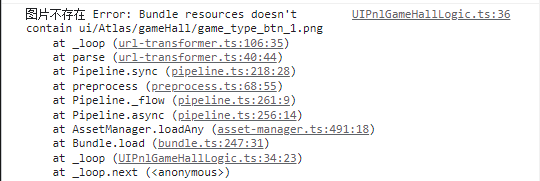
The apparent image path looked correct:
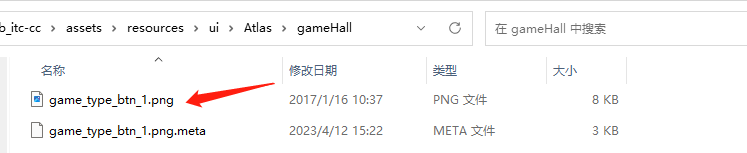
The failing version included the source filename extension:
 1
 2
 3
 4
 5
 6
 7
 8
 9
10
| for (let i = 0; i < 7; i++) {
const imagePath = `ui/Atlas/gameHall/game_type_btn_${i + 1}.png`;
resources.load(imagePath, SpriteFrame, (err, spriteFrame) => {
if (err) {
console.log('Image not found', err);
return;
}
this.hallImage[i].spriteFrame = spriteFrame;
});
}
|
To load the imported SpriteFrame sub-asset, omit .png and append /spriteFrame:
 1
 2
 3
 4
 5
 6
 7
 8
 9
10
| for (let i = 0; i < 7; i++) {
const imagePath = `ui/Atlas/gameHall/game_type_btn_${i + 1}/spriteFrame`;
resources.load(imagePath, SpriteFrame, (err, spriteFrame) => {
if (err) {
console.log('Image not found', err);
return;
}
this.hallImage[i].getComponent(Sprite).spriteFrame = spriteFrame;
});
}
|
The resource path refers to the imported asset inside a resources directory, not necessarily the original file path shown by the operating system.