Hide Cocos Creator .meta Files in VS Code with files.exclude
When editing a Cocos Creator project in VS Code, you can hide .meta files from the Explorer without deleting or ignoring them.
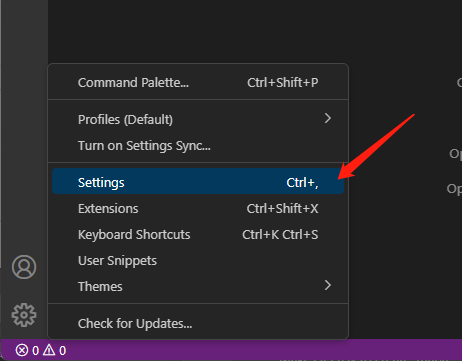
Open Settings from the gear icon:
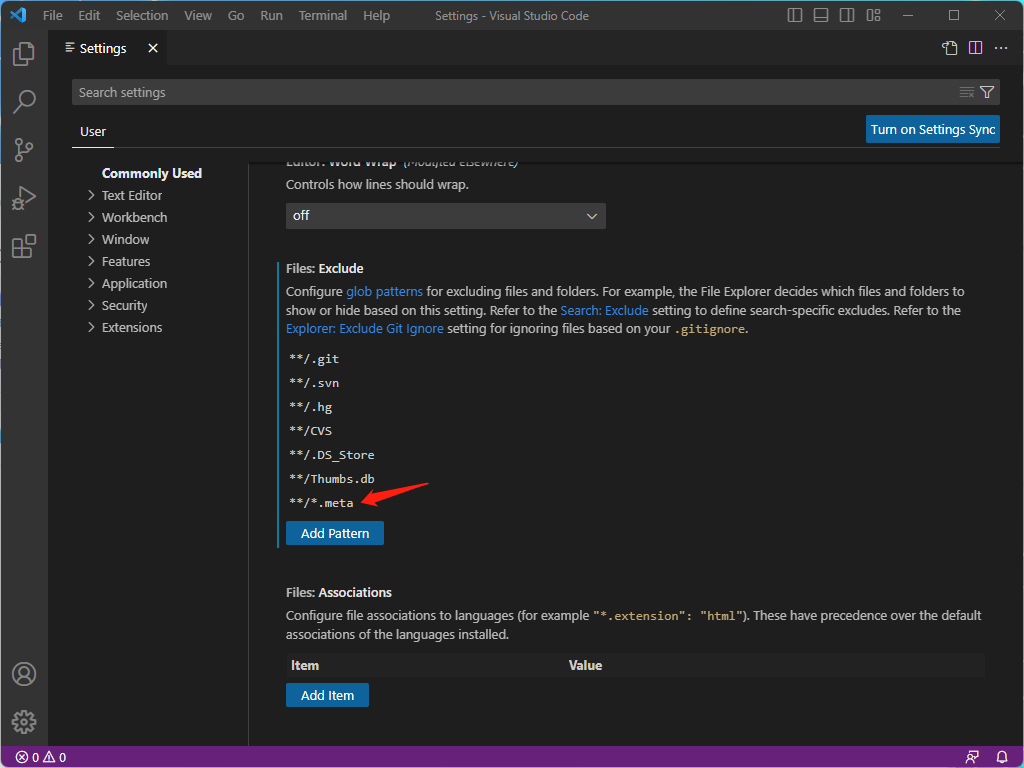
Find Files: Exclude and add **/*.meta:
The equivalent workspace configuration is:
This is only a display filter. Cocos Creator still needs its .meta files, and they should generally remain under version control.